
How to make a staff shift schedule that survives the week
If you run a bar, a shop or a small clinic, the schedule is that sheet of paper (or that spreadsheet) that decides who works when. It is almost certainly the task that eats the most of your week for how little it shows. This guide is about getting it right the first time, using a six-person bar as the example.
A floor manager spends four to six hours a week building the schedule, patching it and explaining it. And still, on Friday, someone says they didn’t know they were on. We have seen it in bars, in clothing shops, in dental clinics with three assistants. The problem is rarely the person doing the schedule. It is the order they do it in.
Here is what a schedule needs to contain and the six pieces of information you need before you open the spreadsheet. Then a seven-step method with real numbers, the legal limits you cannot skip, and the mistakes that show up in almost every business. It works the same whether you do it on paper, in Excel or with an app.
What a shift schedule is (and what it has to contain)
A shift schedule, or rota, is the table that gives every person on the team a specific shift on each day of a period, usually a week or a month. Sounds obvious. But a schedule that actually does its job answers more than “who’s in tomorrow?”:
- Which shifts exist, with a start and an end time (morning 8–4, evening 4–12…).
- How many people are needed on each shift and in which position: two behind the bar, one in the kitchen.
- Who is off each day, and who is on holiday or sick leave.
- How many hours each person adds up to that week, and how many they are contracted for.
If your schedule doesn’t show each person’s hours, it isn’t a schedule; it’s a list of names. The hours are what stop overtime from creeping in, and what will save you the day a labour inspector shows up.
The six things you need before you start
Nearly every bad schedule starts with names. “I’ll put Martha on Monday morning, George on Tuesday…”. Then mid-week you find out Saturday evening has one person on. Before you write a single name, gather this:
- The business hours, day by day. Opening 8 to midnight Monday to Thursday is not the same as staying open until 1 at the weekend.
- The positions. Bar, floor, kitchen, till, reception. Even if everyone does a bit of everything in a small bar, someone has to be in the kitchen.
- The slots per shift and position. How many people you need in each time band. It is the number that changes most between a Tuesday and a Saturday.
- The contracts. Weekly hours for each person, full-time or part-time, and whether they accept overtime.
- Availability. Who studies in the mornings, who can’t do Sundays, who is casual and only comes in when they say they can.
- Known absences. Approved holidays, sick leave, appointments, Thursday’s doctor.
With these six things the schedule nearly writes itself. Without them, you will write it three times.
How to build the schedule in seven steps (with a six-person bar)
Let’s use a case we run into all the time. A neighbourhood bar open from 8:00 to midnight every day, with two eight-hour shifts: morning (8–16) and evening (16–24). On weekdays, it needs two people per shift; on Friday and Saturday evenings, three. The team is six full-time people on 40 hours each.
Step 1. Draw the shifts, not the people
One row per shift, one column per day. Morning and evening, Monday to Sunday. Fourteen cells. No names yet.
Step 2. Write how many slots each cell has
Morning: 2 slots every day. Evening: 2 from Sunday to Thursday and 3 on Friday and Saturday. That adds up to 14 morning slots and 16 evening slots, 30 shifts a week. At eight hours each, 240 hours of work to cover.
Step 3. Compare with the hours you actually have
Six people times 40 hours is 240 hours. Exactly. Not one hour to spare. Which means that if someone catches a cold, the schedule collapses. The sensible thing is a 10 to 15 % margin: a seventh person part-time, the owner inside the schedule, or a couple of casual staff available at weekends. Do this sum before going any further, because no schedule fixes a shortage of hours.
Step 4. Place what doesn’t move first
Holidays, sick leave, the person who can’t work Sundays. Cross those cells out. What’s left is what you can really share out.
Step 5. Share the unpopular shifts with a rule
Friday and Saturday evenings are the shifts nobody wants and the ones that need the most people. Share them so they rotate: if Martha did both last weekend, this week she gets one of them off. Write down who did them. The manager’s memory fails; the team’s doesn’t.
Step 6. Fill in the rest, keeping to the hours
Each full-timer does five shifts and has two days off. Try to make the two days off consecutive: it is what people appreciate most and what costs you least. Keep a running total as you go: nobody over 40 hours, nobody under their contract.
Step 7. Check, publish, and don’t change it over WhatsApp
Check three things: every cell has its slots filled, nobody has two shifts on the same day, and there are at least eleven or twelve hours between the end of one shift and the start of the next (whoever closes at midnight doesn’t open at 8). Then publish the schedule at least a week ahead. If there are changes, they go in the same place the schedule lives. A swap agreed in a chat at eleven at night is a swap somebody will forget.
This is what a week looks like for the bar in the example. M is morning, E is evening, O is off:
| Person | Mon | Tue | Wed | Thu | Fri | Sat | Sun | Hours |
|---|---|---|---|---|---|---|---|---|
| Martha | M | M | M | M | E | O | O | 40 |
| George | E | E | O | O | M | M | M | 40 |
| Aidan | O | E | E | E | E | E | O | 40 |
| Lucy | O | O | M | M | M | E | E | 40 |
| Paul | E | O | O | E | E | E | E | 40 |
| Sarah | M | M | E | O | O | M | M | 40 |
| Morning | 2 | 2 | 2 | 2 | 2 | 2 | 2 | — |
| Evening | 2 | 2 | 2 | 2 | 3 | 3 | 2 | — |
Two details worth noticing. Nobody closes one day and opens the next (that would leave less than twelve hours of rest). And the Friday and Saturday evening shifts, the worst ones, are on record: Aidan and Paul do both this week, so next week each of them gets one of those off.
The legal limits your schedule has to respect
The exact numbers depend on where you are, but every country sets the same four kinds of limits. Check your local rules and any collective agreement before you sign off a schedule.
- Maximum weekly hours. In the EU and the UK, an average of 48 hours a week including overtime, with many countries and agreements setting lower ordinary limits (Spain 40, France 35). In the US, federal law sets no cap but overtime pay kicks in after 40 hours.
- Daily rest between shifts. 11 consecutive hours in the EU and the UK, 12 in Spain. This is the rule schedules break most often: the same person closes and opens.
- Weekly rest. At least 24 uninterrupted hours per week in the EU and the UK (Spain: a day and a half), which can be averaged over two weeks.
- Overtime caps and records. Many countries cap overtime per year (Spain: 80 hours) and all of them expect it recorded and paid or compensated.
One more thing that isn’t the schedule but is glued to it: in many countries, recording actual working time is mandatory (Spain since 2019, and the EU Court of Justice has required it across the Union). The schedule is the plan; the record is what really happened. They should look alike, and they can’t be the same document.
The mistakes that show up in almost every business
| Mistake | What it causes | How to avoid it |
|---|---|---|
| Starting with names | Gaps on Saturday, too many people on Tuesday | Slots first, people second |
| Not totalling hours per person | Accidental overtime; people under contract | An hours column, always |
| The same person closes and opens | Less than the legal rest between shifts | Fixed rule: whoever closes doesn’t open |
| Always the same people on the bad shifts | Complaints, sick days, people leaving | Rotate and write down who did them |
| Publishing on Sunday night | Nobody can plan their life | A week ahead, ideally two |
| Changes over WhatsApp | Two versions of the schedule and “I didn’t know” | Changes are made on the schedule itself |
| Using the schedule as the time record | A false record if you are inspected | Real clock-ins, kept separately |
Spreadsheet or app? It depends on how many people and how many changes
Excel (or Google Sheets) works fine for up to five or six people on a single shift with few changes. It’s free and everyone knows how to use it. It breaks when you add two shifts, several positions, casual staff, overlapping holidays and swaps between colleagues. At that point the problem is no longer building the table; it is maintaining it and getting everyone to look at the right version.
A scheduling app does three things a spreadsheet doesn’t. It validates: it warns you when someone goes over their hours or is short of rest between shifts. It publishes: each person sees only their own calendar on their phone, with changes already applied. It records: swaps and clock-ins are stored with a date. With fewer than six employees there are free options; with more, a few euros a month is cheaper than paying your manager for five hours of spreadsheets a week.
How Sonnical does it
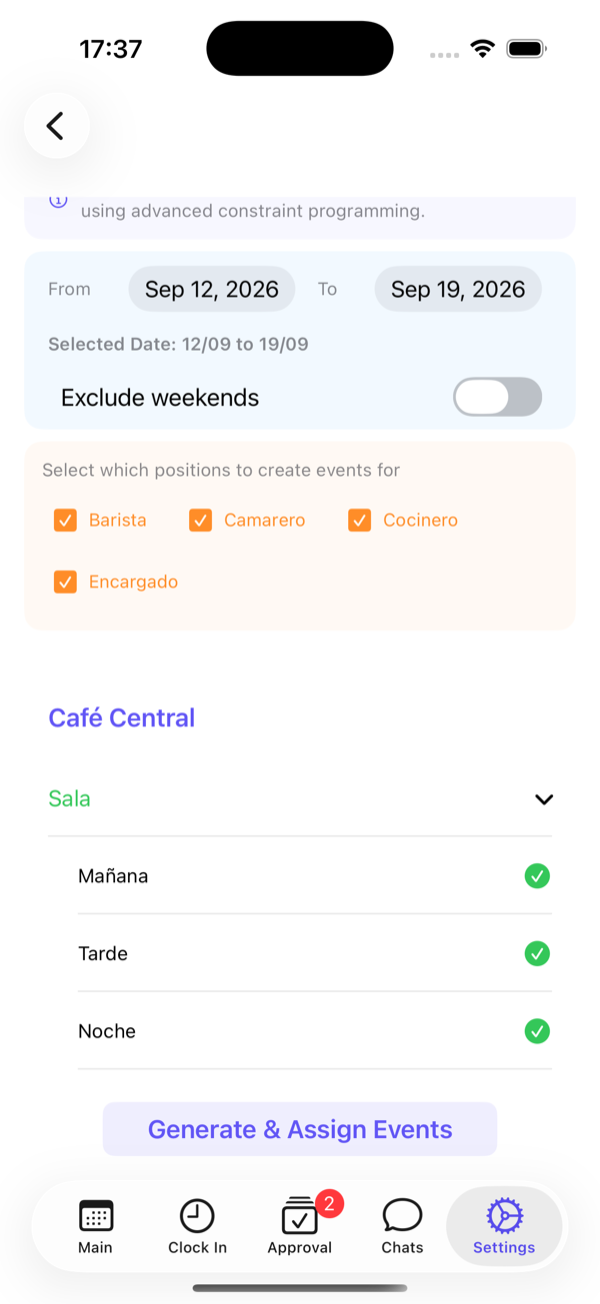
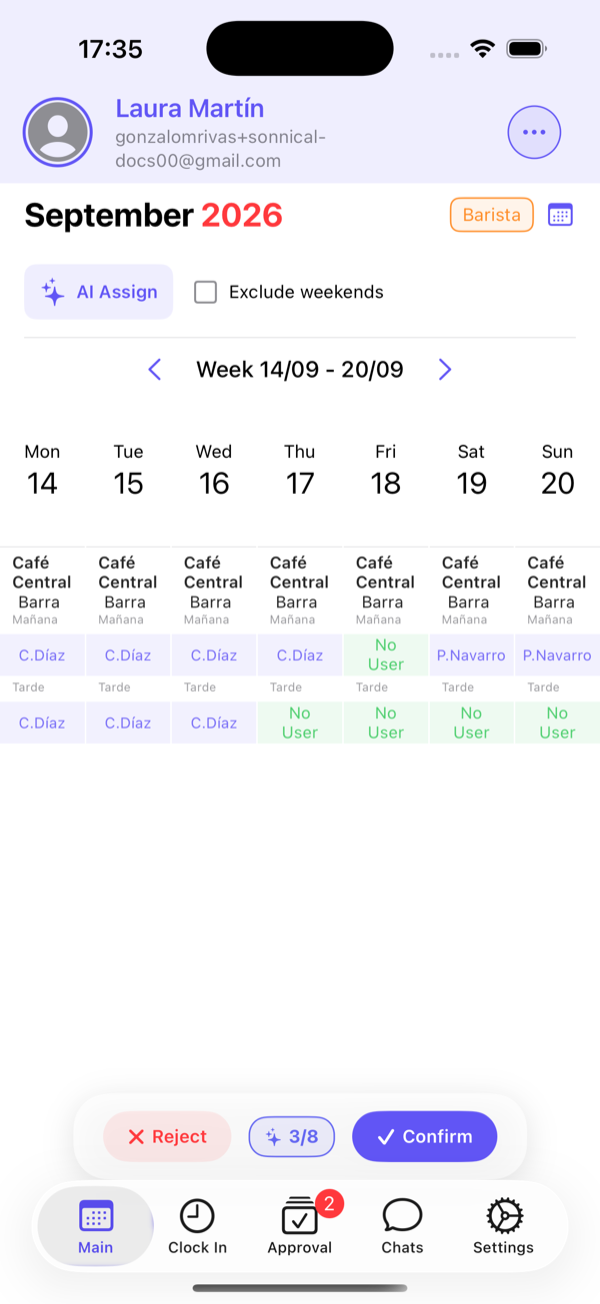
Sonnical follows the same order as this guide. First you define your locations, areas and positions with the number of slots per shift. Then you generate the slots for as many weeks as you like. Finally, you assign them: by hand, or by letting the system propose an assignment that respects contracted hours, availability, absences and rest, which you approve or adjust before publishing.
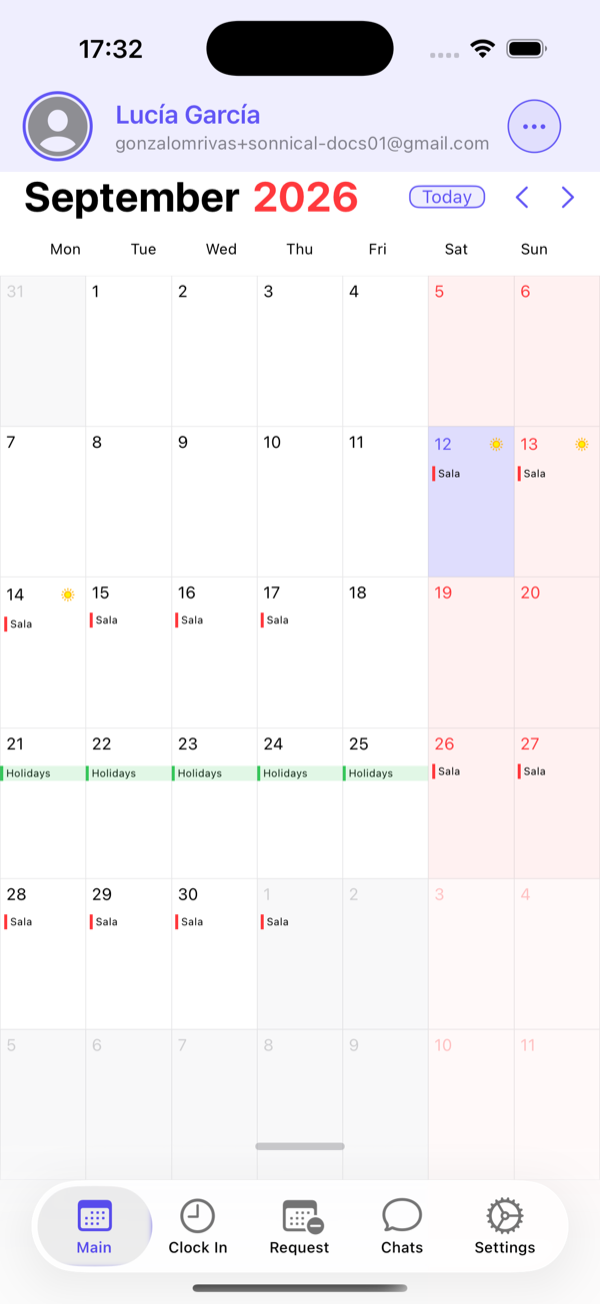
Every employee sees their calendar on their phone, swaps between colleagues go through your approval, and clock-ins are tied to each shift, so the working-time record takes care of itself. It is free for up to six employees, which happens to be the size of the bar in the example.
Frequently asked questions
How far ahead should I publish the schedule?
Rules vary: Spain requires at least five days’ notice when hours are distributed irregularly, several US cities have “fair workweek” laws demanding two weeks, and many collective agreements ask for more. In practice, one week is the minimum for people to organise their lives, and two is what makes a difference to a team.
Is a weekly or a monthly schedule better?
A monthly one gives visibility and cuts complaints, because everyone knows their free weekends in advance. A weekly one is easier to get right. A middle ground that works: publish the month with the shift structure, then confirm each week two weeks ahead.
How many hours can someone work in a week?
It depends on your country and agreement. In the EU and the UK the ceiling is an average of 48 hours including overtime, with lower ordinary limits in many countries; in the US there is no federal cap, but overtime pay applies beyond 40 hours. Whatever the limit, keep a running total per person on the schedule.
What do I do when two employees want to swap a shift?
They ask, the other accepts, and you approve it before it happens, with the change written on the schedule. Check that neither of them goes over their hours or ends up short of rest between shifts. If the swap only exists in a chat, nobody will know who was meant to come in on the day.