
Automatic shift assignment: what a scheduling algorithm does (and what it doesn’t)
Nearly every scheduling app promises the rota «in ten seconds with AI». The line sells, but it hides the only thing that matters: which rules the proposal respects, what a program simply cannot know, and why good auto-assignment is the kind that lets you review it before you publish.
You add six people, press a button, and the schedule appears finished. It sounds like a fairground trick, and part of it is: marketing has turned «automatic shift assignment» into a slogan with a stopwatch. But underneath the slogan there is a real, rather interesting problem, and some programs solve it well while others hand you a schedule you would have to rebuild from scratch. The difference isn’t the seconds it takes. It’s the rules it respects, and whether it leaves you the final word.
This article explains, with no smoke, what a schedule generator actually does under the hood, the rules a decent assignment never skips, the three approaches to deciding who goes on each shift, and the things no algorithm knows and that you therefore review yourself. If you still build the rota by hand, it helps to first read how it’s put together step by step; here we assume you already know how to share shifts out and look at which part of that work a machine can take off your hands.
The real problem: there are too many combinations
Let’s start with why assigning shifts is hard, even when it doesn’t look it. Picture a bar open every day across two shifts that needs two people per shift. That’s 2 slots × 2 shifts × 7 days: 28 slots to fill every week. And you have six people to spread across them.
If you start counting how many ways those six people fit into the 28 slots, the number is absurd: six to the power of twenty-eight, more than six thousand trillion combinations. No manager, however good, explores that space; they lean on last month’s rota and tweak. A computer doesn’t try them all either —that would be a waste of time— but it can sweep a huge slice of them in the time it takes you to pull a coffee, throwing out the ones that don’t work as it goes.
And that’s the nuance the slogan skips: of those six thousand trillion, the vast majority are illegal or impossible schedules. Someone closes at midnight and opens at eight. Someone racks up fifty hours. A person who studies in the mornings turns up on the morning shift. The algorithm’s job isn’t «to generate a schedule»; it’s to find one of the few that satisfy every condition at once. Speed isn’t the merit. The merit is that what it proposes holds up.
The rules a good algorithm never skips
An automatic assignment worth using has to respect the same rules you would with a pencil and an eraser. If an app hands you the rota in ten seconds but skips any of these, it has saved you ten seconds and will cost you an afternoon of fixes:
- Each contract’s hours. Someone on 40 hours does their five shifts; someone on 20 can’t end up with 35. The algorithm counts as it assigns, not at the end.
- Declared availability. If someone has said Tuesday mornings are off limits, that cell is blocked. It isn’t a preference to ignore when things get tight; it’s an input.
- Absences. Approved holidays, sick leave, time off. On those days the person doesn’t exist for the assignment.
- Rest between shifts. The eleven or twelve consecutive hours the law requires between the end of one shift and the start of the next. It’s the rule schedules break most when they’re done in a hurry.
- No overlaps. Nobody on two shifts the same day, nobody in two positions at once.
- The exact slots. If Friday evening needs three on the floor, three must come out: not two (a gap) and not four (paid staff standing around).
These six aren’t optional. They’re the floor. A schedule that meets all of them is already better than many built by hand on a Sunday night, precisely because the machine doesn’t get tired or lose focus by cell number twenty.
Contracted staff first, freelancers after
There’s one more rule that separates serious generators from the ones that just fill gaps, and it’s priority. When your team mixes permanent staff and people who work by the hour (casuals, freelancers, weekend cover), the order matters a lot.
You owe a contracted person their hours: if they have 30 by contract, the business pays those 30 whether they work them or not. Leaving them on 22 and calling a casual to cover the rest means paying twice for the same work. So a good algorithm places contracted staff first until their hours are full and only then reaches for freelancers to cover what’s left. The reverse —leaning on casuals and leaving permanents half-full— is one of the most expensive mistakes in hospitality, and it happens without anyone noticing precisely because the schedule isn’t keeping count. To see where those hours come from, it’s in how to work out the slots per shift.
Three ways to share shifts: optimal, rotating and basic
Here’s the part almost nobody explains. «Assign automatically» isn’t one thing. Depending on what you want, the algorithm chases a different goal, and the result changes. There are three approaches, and each is the right one for a type of business.
Optimal: the one chasing the lowest cost
This approach treats the schedule as an optimization problem: cover every slot with the cheapest combination that respects the rules. It uses up contracted hours before paying per-service staff, groups shifts so nobody is left with stray four-hour stints, and avoids overtime wherever it can. It’s the one you want when staff cost is tight and you have a mix of permanents and casuals: a restaurant with weekend peaks, a shop in a busy season. It isn’t the «fairest» in the human sense; it’s the most efficient.
Rotating: the one that shares the unpopular shifts fairly
When the problem isn’t cost but complaints —«it’s always me on nights», «that’s three weekends in a row»— the optimal approach isn’t enough, because minimizing cost can keep loading the same people. The rotating approach chases something else: that the bad shifts (nights, Sundays, the 24th) rotate so that, over the weeks, everyone does their share. It keeps track of who did what and, when someone comes back from sick leave, puts them back where they were due instead of leaving them stuck on nights. It’s the approach for care homes, 24-hour clinics and nursing, where an unfair split doesn’t just annoy: it drives up absenteeism. We dig into it in how to run rotating shifts without burning out the team.
Basic: the one that goes fast and you adjust
The third is the humblest: it assigns at random but validly, respecting the hard rules, chasing neither cost nor fairness. What’s it for? Getting started. When you’re setting up a fresh week and would rather start from something already shared out and move it by hand, a basic assignment saves you the blank cell. It really is fast, and that’s where talk of seconds makes sense.
The question isn’t «does this app have AI?», it’s «what goal does the assignment it proposes chase?». If it doesn’t let you choose between cost, fairness or speed, it’s chasing one of them and hasn’t told you which.
What no algorithm knows (and why you review it)
So much for what it does. Now what it doesn’t, which matters just as much and is almost never said. A schedule generator knows hours, availability, absences and rules. It doesn’t know your business. And some things only you know:
- Who performs best when. You know your fastest waiter is worth gold on a packed Saturday and that a certain cook is better kept off match day. That’s in no dataset; it’s in your head.
- The pairings that work and the ones that don’t. Two people who together run like clockwork, or two better kept on different shifts. The algorithm sees them as the same.
- The favor owed. You promised someone Friday off because they took the hit last month. A program keeps no ledger of human debts.
- The outside context. That there’s a fair in town that week, or that a new hire just started and should go with a veteran for the first few days.
That’s why the automatic proposal isn’t the final schedule. It’s a very good draft that takes 90 % of the mechanical work off you —counting hours, squaring rest, leaving no gaps— so you can spend your time on the 10 % that really needs judgement. Anyone selling you a machine that publishes on its own, with no human looking, has either never run a team or never watched what happens on the first Saturday.
The ghost proposal: suggesting without trampling what you’ve decided
There’s a technical detail that separates a generator that helps from one that gets in the way, and it’s how it delivers the result. The bad design wipes what was there and spits out a whole new schedule. If you had already pinned by hand that the manager always works mornings and the new starter begins Monday with a veteran, a from-scratch assignment runs straight over it. Result: you don’t trust it, and rightly so.
The good design does the opposite. It keeps everything you’ve already assigned and only offers to fill what’s blank. The proposal shows up marked separately —as a «ghost», dimmed, distinct from what’s confirmed— so at a glance you can tell what the machine put from what you put. You look at it, change the two or three cells that don’t convince you based on what you know about the business, and then you confirm. Not a single shift goes out without you having signed off on it.
That’s the kind of automatic assignment worth trusting: not the one that takes control away, but the one that does the heavy lifting and hands you back the decision. The distrust many people feel towards «AI» in scheduling is healthy, because it comes from having seen automatic rotas that didn’t add up. The answer isn’t more promises; it’s being able to review before you publish.
How Sonnical does it
In Sonnical automatic assignment works on this logic, not the stopwatch’s. First you define your slots by area and position and generate the shifts for as many weeks as you want. Then you press «Assign with AI» and choose the approach: optimal by cost, rotating to share the unpopular shifts fairly, or basic to start from something fast and adjust.
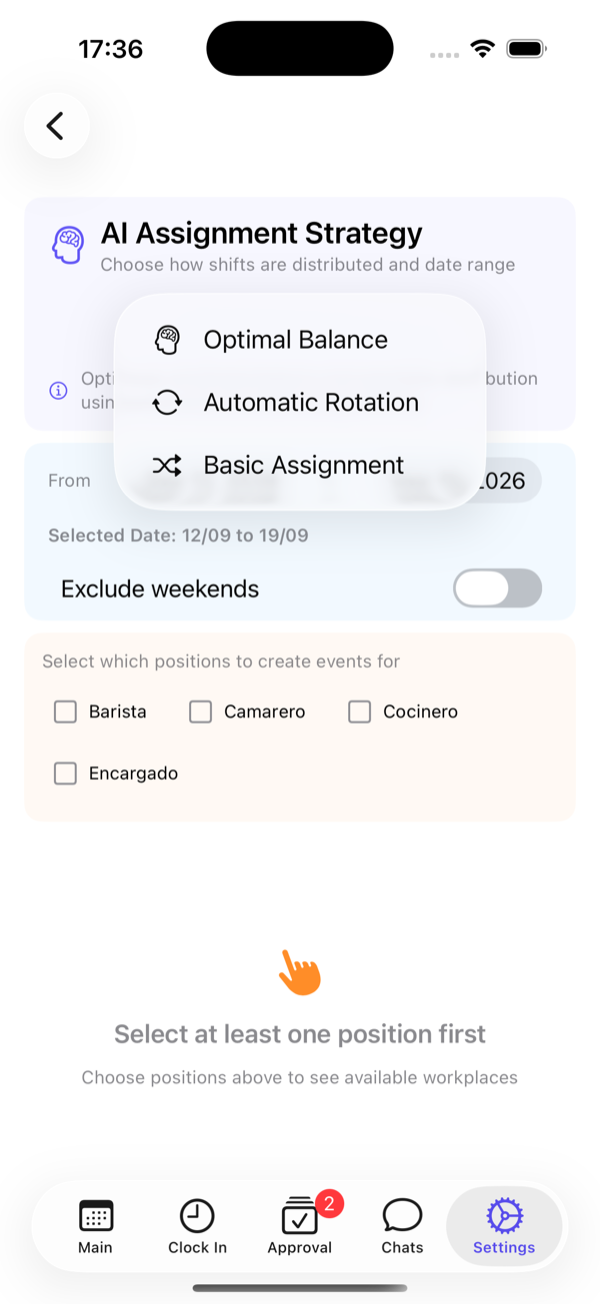
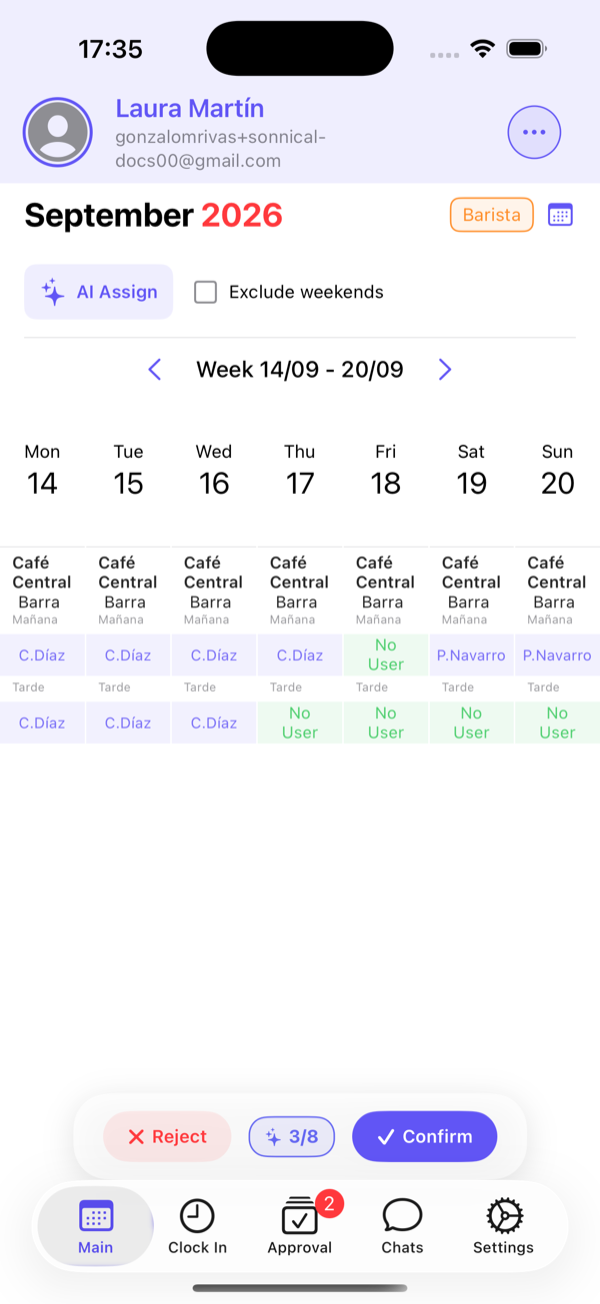
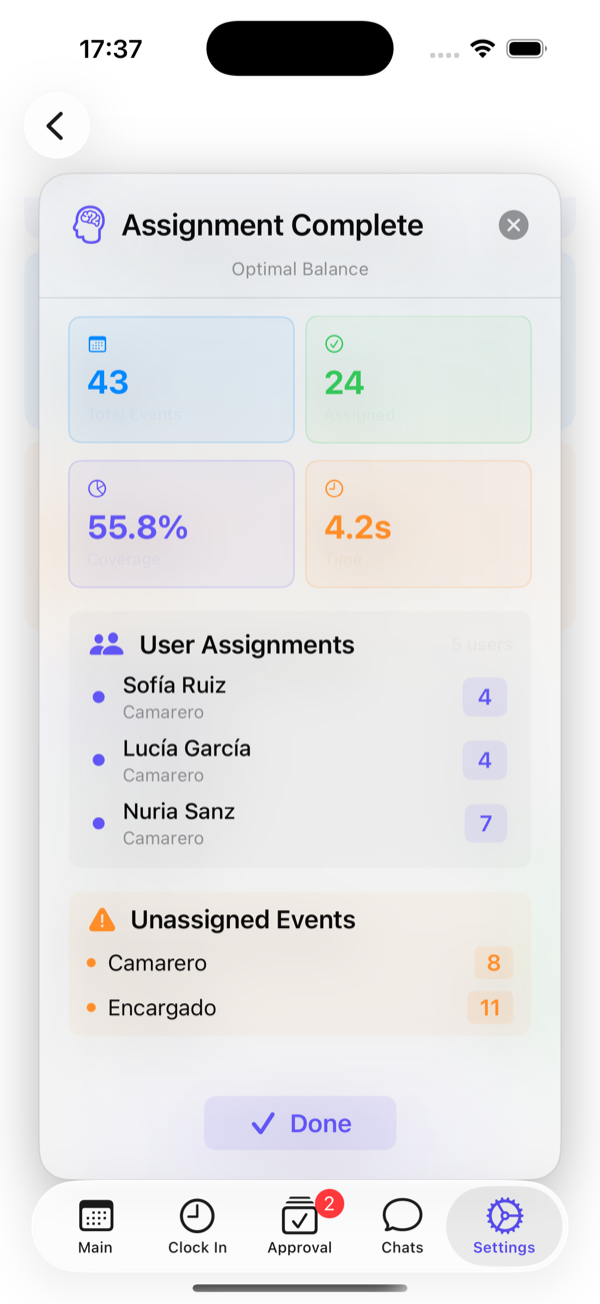
The assignment respects each contract’s hours, the availability freelancers have declared, approved absences and rest periods; it places contracted staff first and reaches for freelancers for what’s left; and it never touches what you had already decided by hand. The proposal arrives dimmed, you look at the whole thing, change what your judgement says and you confirm it. Until that moment, no one on the team sees anything. It’s free for up to six employees —the AI auto-assignment is on the paid plans, but generating shifts and assigning them by hand aren’t— so you can test the logic before deciding.
Frequently asked questions
Is automatic shift assignment reliable?
It is if it respects the hard rules —each contract’s hours, availability, absences, the rest period between shifts, no overlaps— and if it lets you review the proposal before publishing. Be wary of any app that publishes the schedule with no human looking: automatic assignment is a very good draft, not the final word.
Does an «AI» schedule do the work on its own?
It does the mechanical work: counting hours, squaring rest, leaving no gaps and not overshooting the slots. What it doesn’t know is who performs best on a Saturday, which two people work well together, or who you promised Friday off. That 10 % of judgement is yours when you review the proposal.
What does it mean for the proposal to show up as a «ghost»?
That the automatic assignment appears dimmed and separate from what you’ve already confirmed, without erasing or trampling the cells you assigned by hand. That way you can tell at a glance what the system proposed from what you decided, and it only publishes when you confirm it.
Why do some automatic schedules come out expensive and others don’t?
Because they chase different goals. The optimal approach seeks the lowest cost and uses up contracted hours before calling in casuals; the rotating one seeks fairness in sharing the unpopular shifts; the basic one just goes fast. If the tool doesn’t let you choose, you’re using one without knowing which.